Artifex — Personal AI Workspace | Early Access
A downloadable app for Windows
 Imagine. Create. Execute.
Your AI. Your projects. Your Windows workspace.
Artifex brings conversation, editable memory, project files and practical computer tools into one black-and-gold workspace. Connect a local model or a supported API, give it a clear goal, and inspect the work it performs.
FULL WINDOWS EDITION · $99.99 USD · EARLY ACCESS
One-time purchase. Free feature tour, limited demo and optional 7-day full-feature trial below.
Bring your own local model or API key. AI models and provider credits are not included.
New in 0.5.40: Ask for a screenshot of a specific app or game window and bring it into chat. Window capture uses the observed window identity and does not fall back to the whole desktop if it fails. This update also fixes truncated Gemini vision analysis, keeps a bounded working set of file sections available while reading code, and corrects a tight-context continuation error.
Included from 0.5.39: Shared screenshots, generated images and videos stay beside the reply that shared them instead of following each new message at the bottom of the chat. Switching to a new or empty chat clears old previews. Existing attachments are matched to their original replies where possible; ambiguous older attachments remain in a labeled historical section in their own chat. The update backs up the chat database before adding reply-to-task references.
Included from 0.5.38: Capability and advice questions no longer start a work plan just because they contain phrases such as “and make” or “and run.” Explicit requests to do work remain actionable. This release also fixes Gemini follow-up requests rejected with HTTP 400, runs without an extra console window, and corrects installer shortcut completion checks. Desktop typing now reports lost keyboard focus so partial input can be reviewed before retrying.
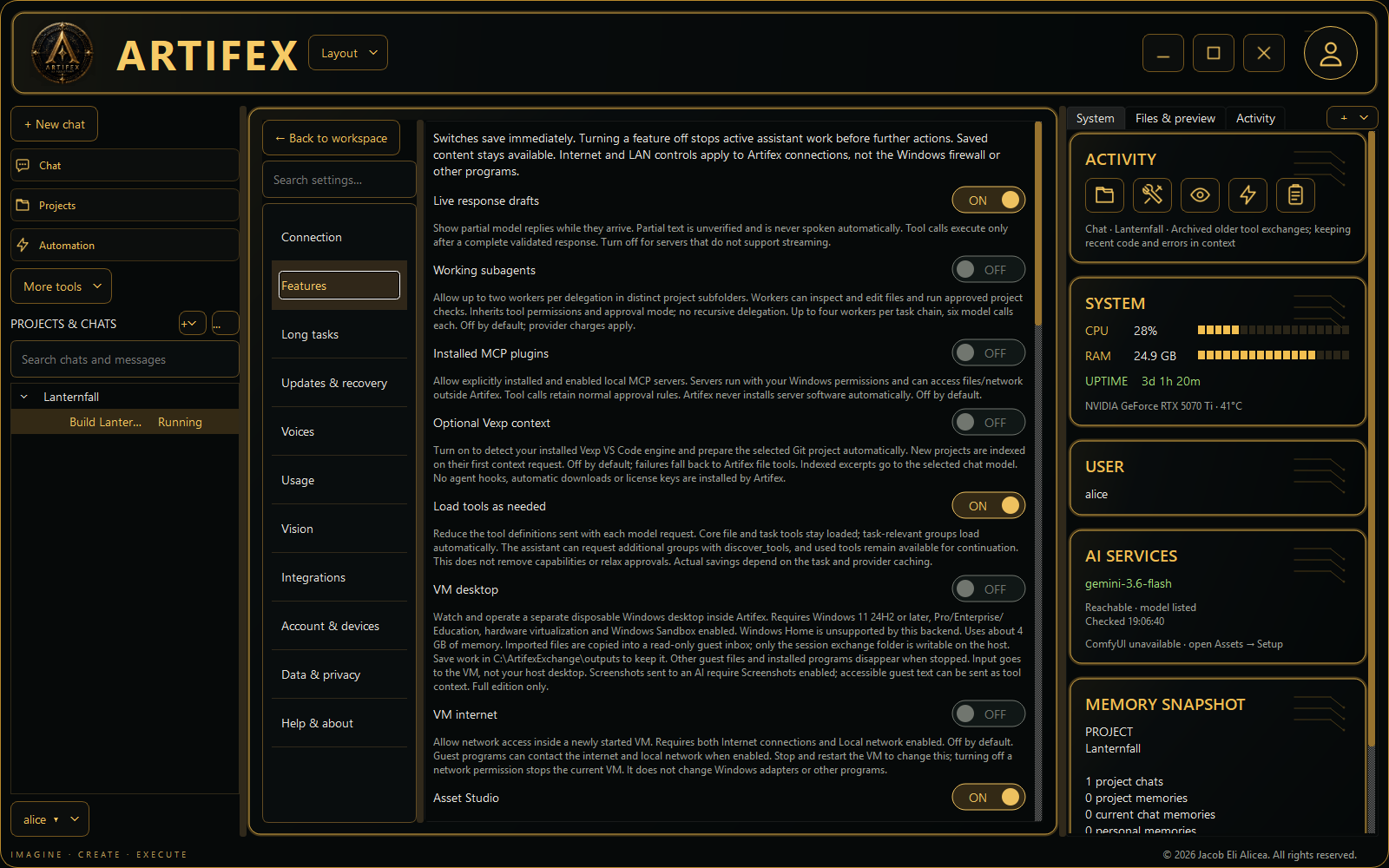
Workspace tools: Keep Chat beside an embedded PowerShell command session, Browser, Files, Git Review or Activity. Share supported local images and videos in chat, collapse technical reports, and choose conversational voice replies. Supported connections show unverified streaming drafts while tool calls wait for completion.
Stronger task supervision: Retain goals, answered questions and corrections across compaction, inspect execution records and reconcile uncertain file writes. Optional working agents share parent budgets in distinct project subfolders; optional local MCP plugins use explicitly enabled stdio servers. Both are off by default. Synthetic model checks measure limited behavior, not multi-hour reliability. External servers run with Windows permissions; full-screen terminal emulation and hosted OAuth connectors are not included.
Today's workspace improvements: Resize panels and the composer, open tools from the + menu, and find Settings through your username. Pin chats/projects, search messages, see task and unread badges, and recover removed records from Trash. Add or create project folders; missing folders are labeled and opening blockers are explained visibly. The sidebar display fixes, itch.io sign-in, installer shortcut retries and Jacob Eli Alicea license attribution are included. Both editions share the interface fixes; advanced tools require the full edition or an active demo trial.
Included from 0.5.28: Focused question popups let you supply missing requirements before dependent work continues. Answers stay with the task, and saved questions can be reopened from Chat or Tasks. Artifex is instructed to inspect evidence and explain uncertainty rather than invent missing facts; model results still need verification. Ask in chat to clear queued messages or dismiss old task records, or use Dismiss all old records in Tasks. Logs, chats and files are preserved.
Included from 0.5.27: Clear all queued and held messages from Chat or Tasks, resume a paused queue, and see why a message is waiting. Send message starts immediately when Artifex is available. Old review records are labeled separately from queued work. Running tasks, chats, files and schedules are preserved when you clear the queue.
Included from 0.5.26: A complete step-by-step Getting Started guide and expanded glossary help you connect a model, review approvals and verify your first task. Bounded developer-source repairs require explicit approval even with Full Access, with attempt limits and clearer explanations when work is blocked. Verified application save points and independent recovery help restore a previous installation. Send feedback directly from Settings with optional screenshots. Self-changes require a configured developer checkout and tests; approved code runs with Windows permissions, and installed updates still use the installer.
Also included: Vision assistance can return observations from approved screenshots and project images to your main chat model. Questions receive clearer guidance about answering, inspecting the PC or researching online. Review spelling and grammar suggestions before replacing a Chat draft. Optional Vexp context now connects with one toggle: detect your installed VS Code engine and prepare the selected Git project automatically. It stays optional, with built-in file tools available as a fallback. Visual observations need verification, and token savings depend on completed tasks; neither is guaranteed.
Recent improvements: Longer tasks can recover from known failed reads and repeatable checks with bounded repair attempts. Large older tool exchanges are archived locally and reopened when needed, reducing repeated context while retaining the originals. The refreshed demo includes a ten-chapter tour of projects, memory, browser tools, Asset Studio, Video Studio and VM Desktop.
See it work before you buy
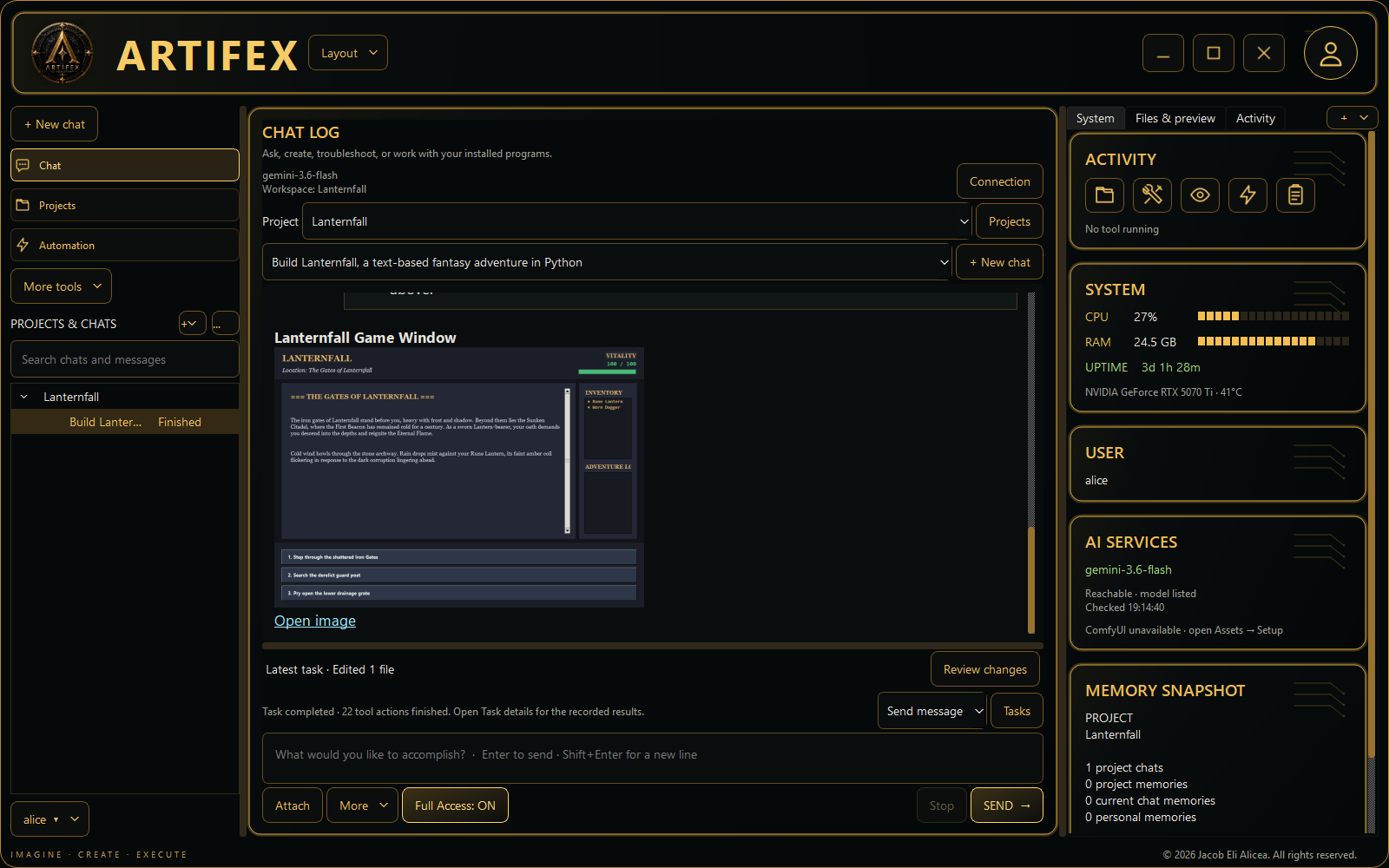
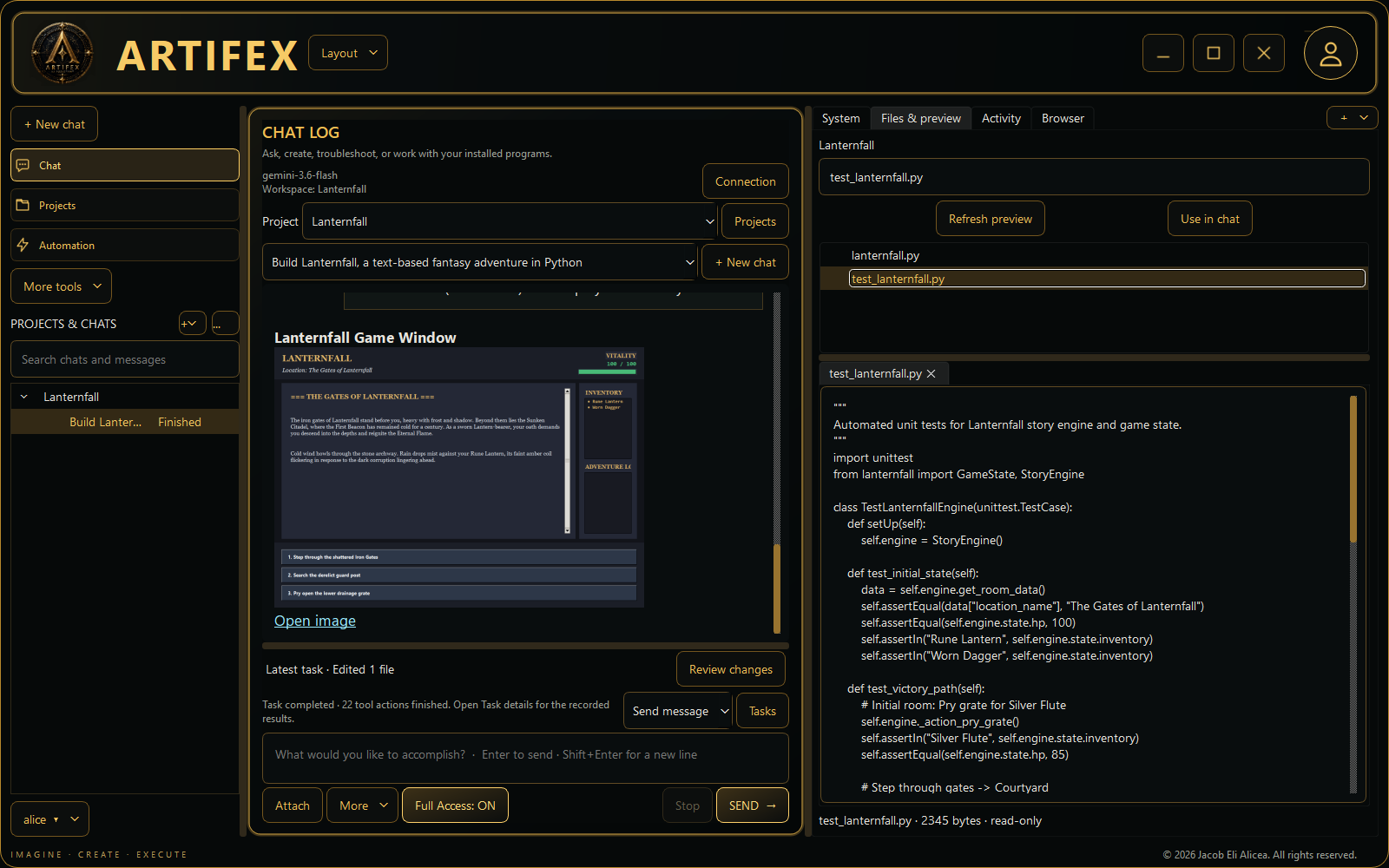
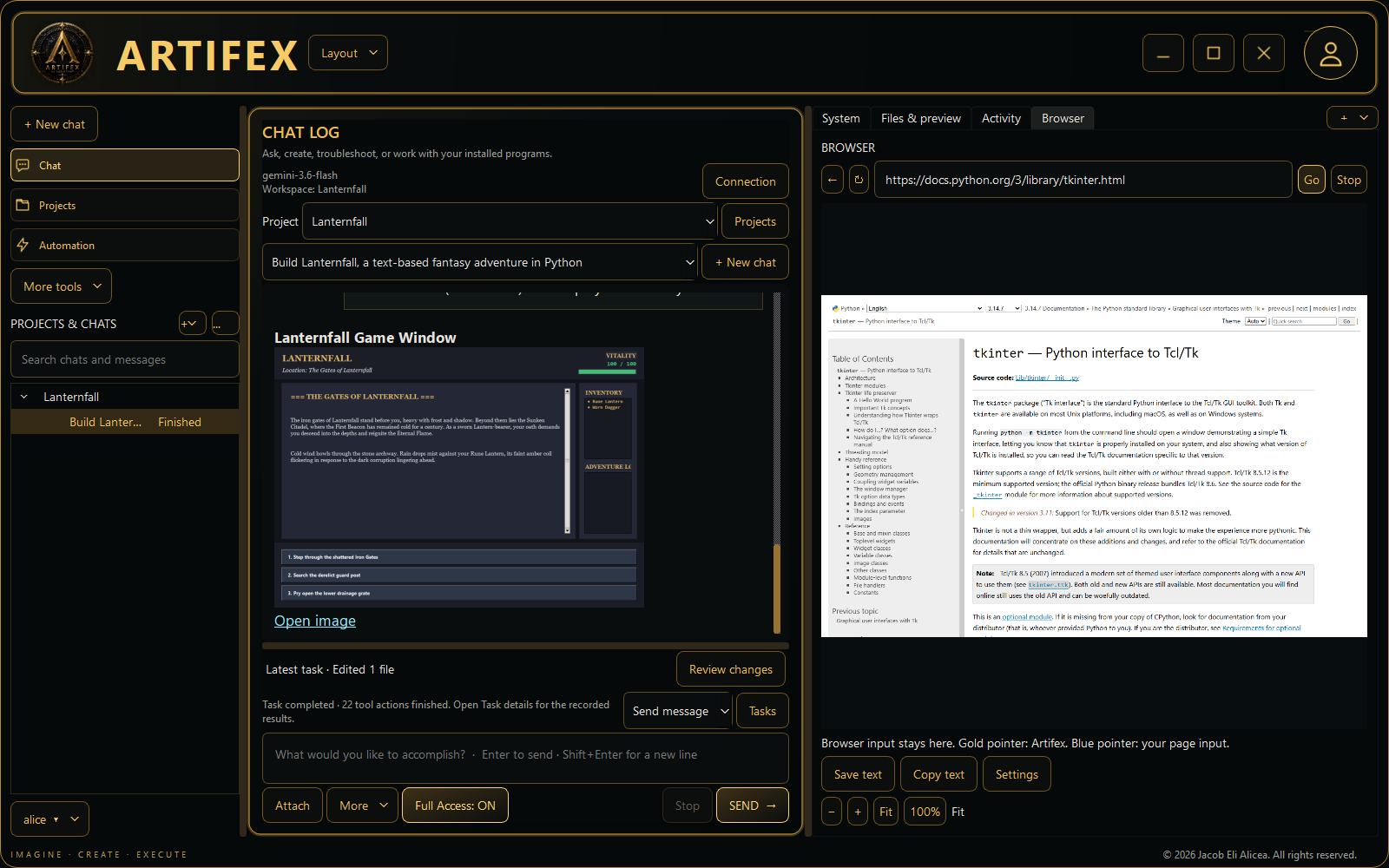
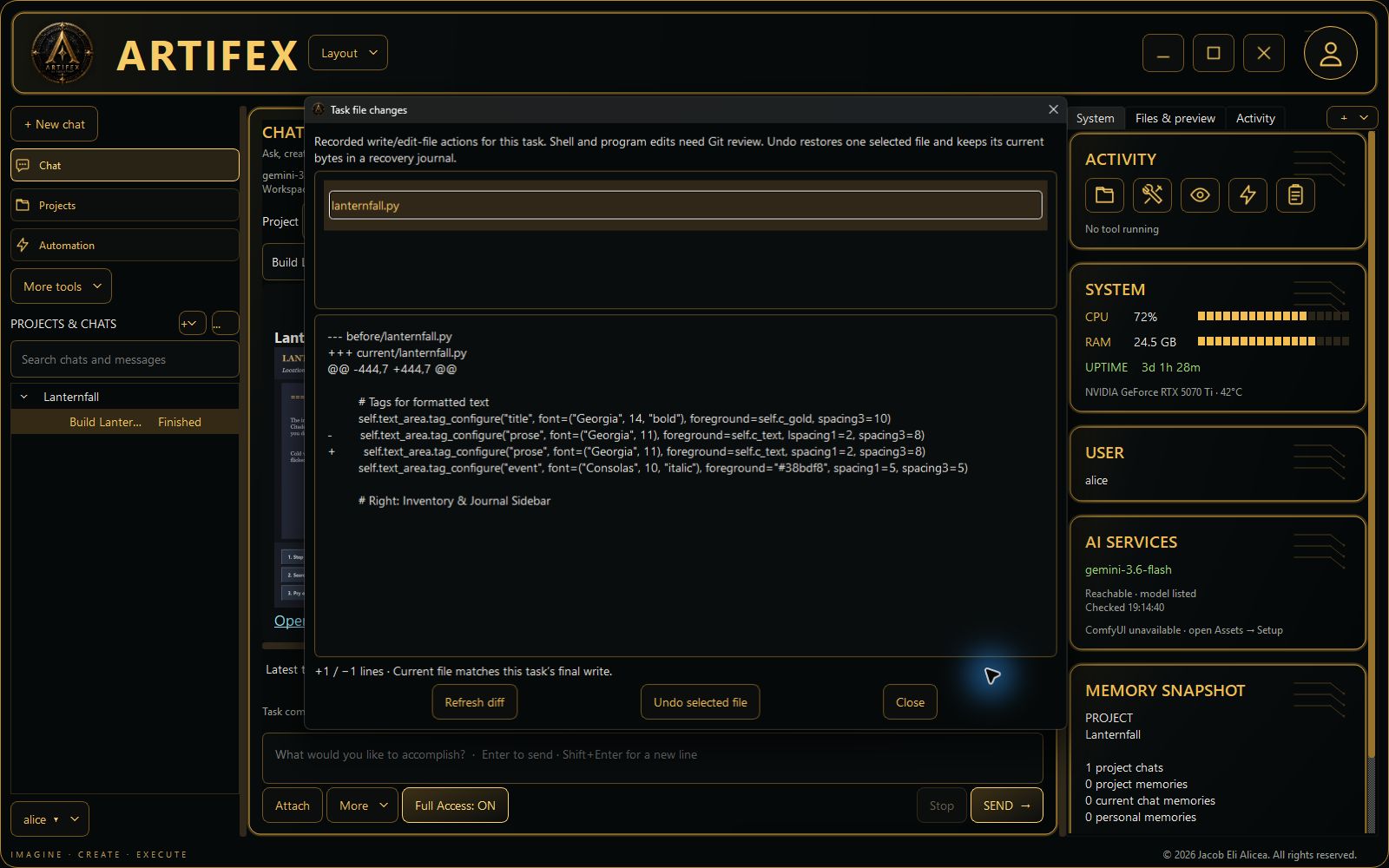
New: Artifex builds Lanternfall. Download the free Artifex 0.5.40 — Build a Text Adventure (captioned MP4) below. Watch a real Gemini-powered session create a Python game, reach a task limit, receive a focused correction, pass three generated tests, launch the game and share its window screenshot in chat. Silent, captioned and edited for time. The video also shows file review, resizable panels and the embedded browser. Results depend on your model and still need review.
Earlier narrated feature Short. Watch on YouTube or download the free portrait feature tour with Artifex’s local Kokoro voice and captions. See real Chrome page reading and source saving, editable memory, task controls, creative integrations and an earlier Godot game launch. Actual recordings are edited for length, with limitations visible.
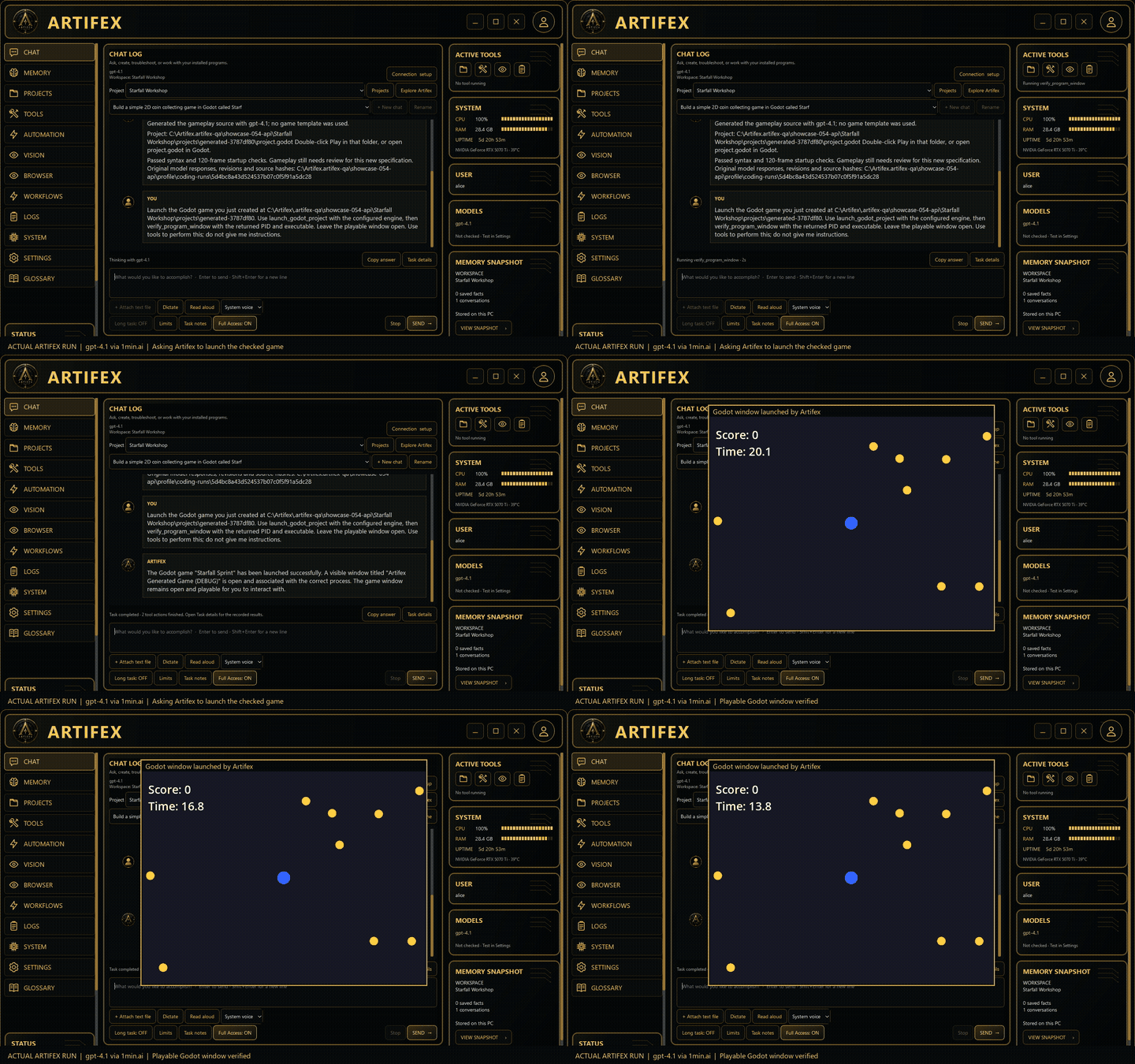
Download the free Artifex Showcase video to watch an actual run using gpt-4.1 through 1min.ai: Artifex generates a small Godot game, reads engine-check results, repairs its code and launches the game window. The video is edited for length and shows one recorded example, not a guarantee for every project.
Then install Artifex Demo 0.5.40. Open Explore Artifex for a ten-chapter interactive feature tour with no account or AI key needed. Connect your own tool-capable model when you are ready to try real file edits and memory.
From a useful conversation to useful work
Create and verify
Read, search, create and edit files in a project folder. Supported edits preserve backups. Inspect actual file contents, command output and action logs instead of relying on an assistant's confidence.
Memory you can edit
Keep preferences and project facts, search them, correct them or forget them. Choose chat-only, shared project or personal memory. Give each idea a named chat, with separate history and drafts, inside a named project.
A browser that leaves your mouse available
Choose installed Chrome or Edge in Settings → Connection → Browser. Automatic detects Chrome first, then Edge. Each keeps its own Artifex profile, separate from your everyday browser. Use Artifex's Browser tab and dedicated browser session to inspect pages and perform supported web workflows. Research a supplied page, follow relevant links and save notes with sources. A gold cursor and action label show where Artifex is acting; manual browser input uses a blue pointer. Browser automation uses its own session; optional desktop-control tools can still use your physical mouse.
A separate desktop inside Artifex
VM Desktop lets you watch Artifex work inside Windows Sandbox, with guest clicks and typing separate from your own desktop. Import file copies, inspect the live view, switch between fitted and actual-size previews, and keep work saved to the guest output folder. The VM starts offline. This optional full-edition feature requires Windows 11 24H2+ Pro/Enterprise/Education, virtualization and Windows Sandbox enabled. Guest installations and files outside the output folder disappear on stop; persistent OS snapshots, Ubuntu guests, dragging, held-key controls and guest audio are not included.
Work with installed software
Launch programs, run commands, inspect errors and repeat checks after a repair. Artifex is not tied to one game engine. It works through available command-line tools, browser controls and Windows automation; support varies by program and task.
Assets, animation and local voices
Asset Studio connects to local ComfyUI for image generation, simple prompt-based text-to-video and saved custom workflows, Blender for background 3D and animation scripts, and Krita for PNG/KRA exports. Build transparent sprite sheets with frame coordinates and keep outputs with job receipts in your project. These optional engines and models are installed separately; review generated assets before using them.
Simpler asset setup: start a detected ComfyUI installation, find its usual models folder, and install verified image or video models from Asset Studio. Automatic image selection prefers installed SDXL; the optional image download is about 6.5 GiB. Image and video choices are remembered and shared with Chat.
Create from a prompt: prepare a Blender 3D/animation request or a ComfyUI-to-Krita artwork request directly from the asset tabs, then review and send it in Chat. Blender uses generated scripts; Krita exports raster artwork, not automatically separated painted layers. Your chat model must support the tools.
Text to video: describe a scene, choose 1–5 seconds and a size, then Generate video. Artifex builds the Wan workflow automatically and previews the saved silent WebM inside the app. First use needs a running ComfyUI installation, a compatible GPU and about 9.2 GiB of video models; model checks and one-time downloads are built in. Installed models can run locally offline. Generation speed and appearance depend on your hardware and settings.
Choose Windows speech or eight optional Kokoro voices. Speak conversational replies is optional and off by default: it speaks ordinary conversation, not automatic technical tool reports. Manual Read aloud and Stop reading remain available. Kokoro runs locally after its one-time voice download.
Record and review your work
Video Studio records supported windows or the in-app browser, arranges and trims clips, adds captions and local narration, and exports MP4 at 720p / 10 fps. Captures do not include system or microphone audio. Preview the result before sharing.
Narrated demonstrations: enter a short Video purpose and choose Draft narration from video, or ask Chat to perform and record a narrated demo. Artifex samples up to six frames after recording; Ollama can select an installed vision model separately from your coding model. Review the script against the actual demonstration before exporting. Models can misread small text and brief actions. Hosted vision requests send the frames and may cost credits; direct 1min.ai currently cannot accept them.
Use file previews, recorded change review and isolated Git task workspaces to inspect edits. Queue follow-up messages or update a running task; up to two separate, non-overlapping projects can run concurrently. Shared computer tools coordinate access, and model/API limits still apply.
Keep longer tasks moving
Long task mode adds durable plans, checkpoint notes, recorded actions, context compaction and selective reading. Set time and turn limits, inspect next steps and review a continuation after interruption. File fingerprints help detect changes before older evidence is reused.
Keep Artifex open and the PC awake. Blockers, model failures and limits can pause work. Uninterrupted multi-day task completion has not been verified.
Use focused context and track API usage
Load core tools and relevant groups first, then discover more enabled capabilities as needed. Durable task records avoid recursively repeated state snapshots and retain original results for later inspection. The complete tool catalog remains an option for model compatibility.
See reported input, output, cache and reasoning tokens by task and model. Export usage metadata to investigate retries and repeated context. A configurable limit defaults to 250 remote attempts per UTC day across your profile, including retries and failed attempts. This is a request cap, not a dollar cap. Estimates use rates you enter; missing provider counts and 1min.ai credit costs remain unknown. Local proxies may charge separately. No live savings are promised before measuring comparable tasks.
Your model. Your controls.
See what is actually running: the Activity card combines chats, asset jobs, recording, exports and setup work. AI services shows image/video readiness alongside your chat connection. Memory counts distinguish the selected project, current chat and personal notes.
Choose Ollama locally or a supported hosted API, including direct 1min.ai and OpenAI-compatible endpoints. Test the connection and tool support before starting. Toggle optional internet and tool features, inspect live CPU/RAM and available GPU/VRAM readings, use read-aloud, or consult the searchable Glossary.
Keep approvals enabled or choose Full Access to reduce repeated prompts for supported actions. Commands and desktop actions use your Windows permissions and can affect files outside the selected workspace. Stop cannot undo completed actions; logs, supported backups, export and recovery help you inspect and recover your work.
The Updates & recovery center includes diagnostics, recovery and controlled developer-source build tools. Consumer installer updates are currently manual; an automatic signed update feed is not configured.
Free demo, full-feature trial, or full edition?
- Free feature tour: ten interactive chapters with clearly labeled illustrations. No account or AI setup required.
- Optional full-feature trial: sign in with itch.io for 7 days (168 hours) of signed-in running time per account. Try your own projects, browser and program tools, long tasks, and the available creative features. Your own model/API and any required software or hardware are still needed; AI credits are not included.
- Limited functional demo: without an active full-feature trial, try 10 AI requests total, one sample project, small text-file editing and editable memory. Requests during the full trial do not spend this allowance.
- Full edition: a one-time purchase removes the trial time limit and sample-project restrictions. Normal provider, task and permission limits remain.
How the trial clock works: time counts while Artifex is open and signed in, including idle and minimized time. Signing out or fully closing the app pauses it; reopening resumes the remaining balance. Internet check-ins are required even with a local model. After a crash, sleep or connection loss, counting stops within 90 seconds of the last successful check-in. One active trial window is allowed per itch.io account.
When full trial access ends, Artifex stops ongoing tasks and returns to the limited demo. Your projects, chats and saved work remain on your PC. Reinstalling, resetting or signing out does not renew the account trial or the limited demo allowance. The limited demo supports up to 12 text files of 20 KB each. The paid and demo editions install separately.
Setup and ownership
- Install your edition and open it from Windows Start. No Python installation or code editor is needed.
- Paid edition: select Sign in with itch.io in Settings using the account that owns Artifex. Guest purchases must first be claimed on an itch.io account.
- Choose a provider, test the connection, select a model, test its tool support and save. API usage is billed separately by your provider.
- Start in a practice project and inspect the results. In the demo, begin with Explore Artifex and the three sample Chat prompts, or open Settings → Account & devices → Start trial with itch.io.
Paid activation is remembered for your Windows account and permits 30 days offline after successful verification. Initial activation and periodic ownership checks need internet access. Local AI tasks can work offline while activation remains valid. Hosted models and web tools require internet access. This is a one-time software purchase, not a model subscription.
Requirements and Early Access status
Windows 64-bit. Real AI tasks require a tool-capable local model through Ollama or a supported API account. Local models have their own RAM, VRAM and disk requirements. Browser tools require installed Google Chrome or Microsoft Edge; vision needs a compatible model. Programs such as Godot must be installed separately. Hardware monitor availability varies by device.
Full build: 0.5.40-preview · Demo: 0.5.40-demo. These are unsigned Early Access installers, so Windows may display a publisher warning. The builds are tested with automated checks and isolated installation workflows; independent consumer hardware and uninterrupted multi-day performance are not certified. AI reliability varies. Try the demo with your hardware and model before purchasing.
Your data: hosted-model requests may include conversation text, relevant memory, file content and tool results. Enabled screenshots can include open applications. Paid activation checks Artifex ownership directly with itch.io. The optional demo trial uses the developer-operated service at licenses.getartifex.site to verify your itch.io account and retain the trial balance. These checks do not upload your chats, project files or model API keys.
License: Read the free Artifex End-User License download before purchasing. Unauthorized redistribution, resale and public upload of Artifex’s proprietary application files are prohibited. Your projects and content are excluded. Third-party license rights, mandatory consumer rights and existing purchase rights are preserved. Installation requires acceptance of the full license.
Software reviewers: request a review key
Email d3cr7pt@gmail.com with your channel or publication and request a key for an honest, independent review. Positive coverage is not required. Please disclose that the review key was supplied free of charge.
Created by Jacob Eli Alicea
d3cr7pt@gmail.com
© 2026 Jacob Eli Alicea. All rights reserved.
Purchase
In order to download this app you must purchase it at or above the minimum price of $99.99 USD. You will get access to the following files:
Download demo
Development log
- September 19 update — workspace tools, better task controls and the full-featu...1 day ago
- 0.5.28 — Ask when it matters, and clear old task records4 days ago
- 0.5.27 — Clear the queue and see why messages wait4 days ago
- 0.5.26 — Bounded autonomy, recovery, and a clearer first start4 days ago
- 0.5.22 — Easier setup and readable action reviews6 days ago
Leave a comment
Log in with itch.io to leave a comment.